Project Overview
This project was for OSN Streaming Application. The goal was to create a design system for all devices (Mobile, Tablet, & TV), upload it to zeplin, and refactor the MVP's designs using it.
Role & Responsibilities
I was responsible for creating the design system for the TV platforms.
Timeline
May 2021 – June 2021.
Workflow
To complete this project, we had to break things down into three stages:

Business Objective
The main objective of this project was to:
- Simplify and ease the design and development processes.
- Speed up the rate of delivery for new features in the pipeline.
- Create a consistent and predictable user experience across various platforms.
Challenges
Some of the challenges we faced include:
- Creating components that were responsive and adaptable to various platforms and scenarios.
- Handling the variants we had, in terms of Language (English & Arabic), and Appearance (Light & Dark).
Approach & Rationale
To implement a design system that catered to all our design components, we used the Atomic Design approach as it allows us to build from simple designs to much more complex designs. This is a known principle, and we sought after it, for its easy and structured approach.
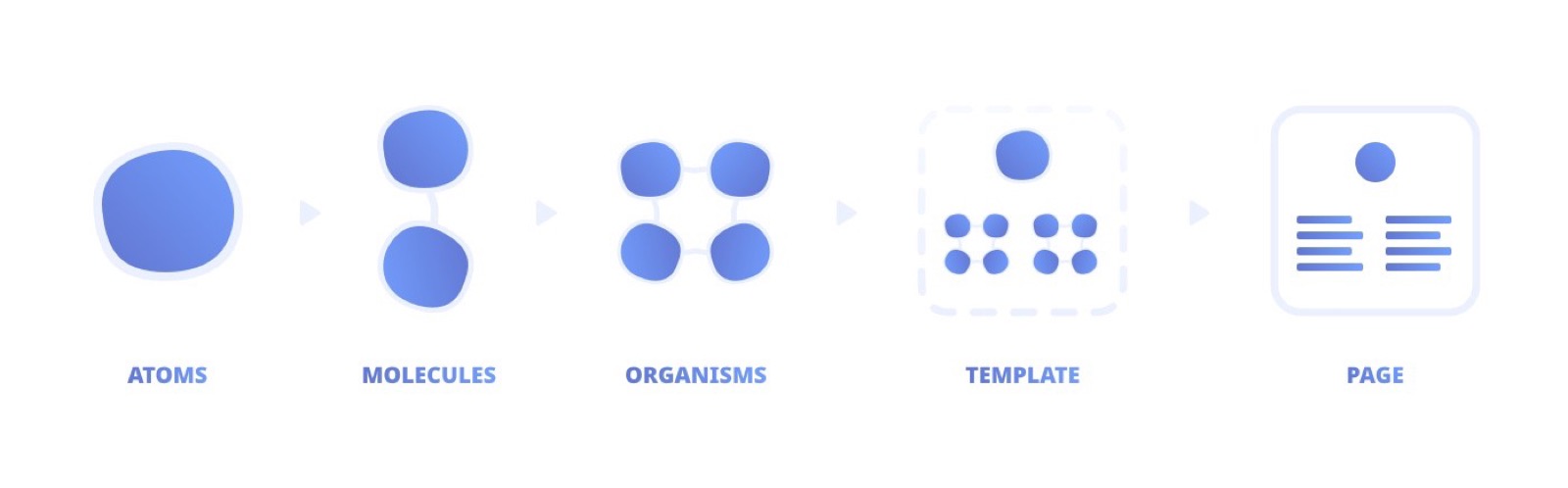
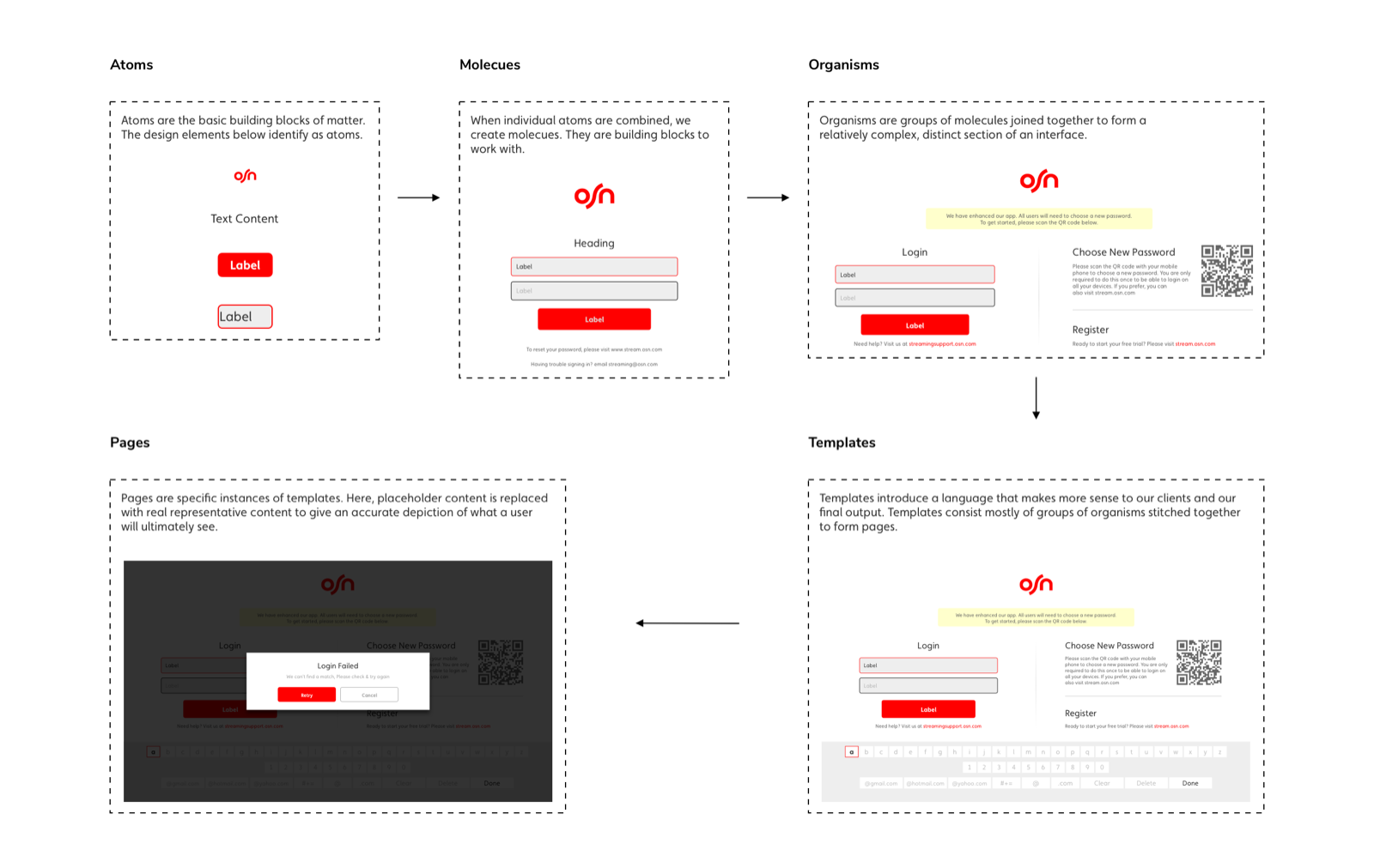
The image above shows the flow of Atomic Design, how it goes from one stage to another. The image below is a visual representation of this approach after implementing it on the design system.
Architecture
Implementing the design system's architecture was a daunting task due to the number of components and the variants these components possessed, such as Appearance (Light & Dark mode) and Languages (English & Arabic). These complications caused us to implement a hierarchal rule that allows:
- Components with single scenarios to have the variants placed after the scenarios.
- Components with multiple scenarios to have the variants placed before the scenarios.
This was done to ease the accessibility & usability of the components for the user of the design system. The Architecture the designer works with is illustrated in the image below.
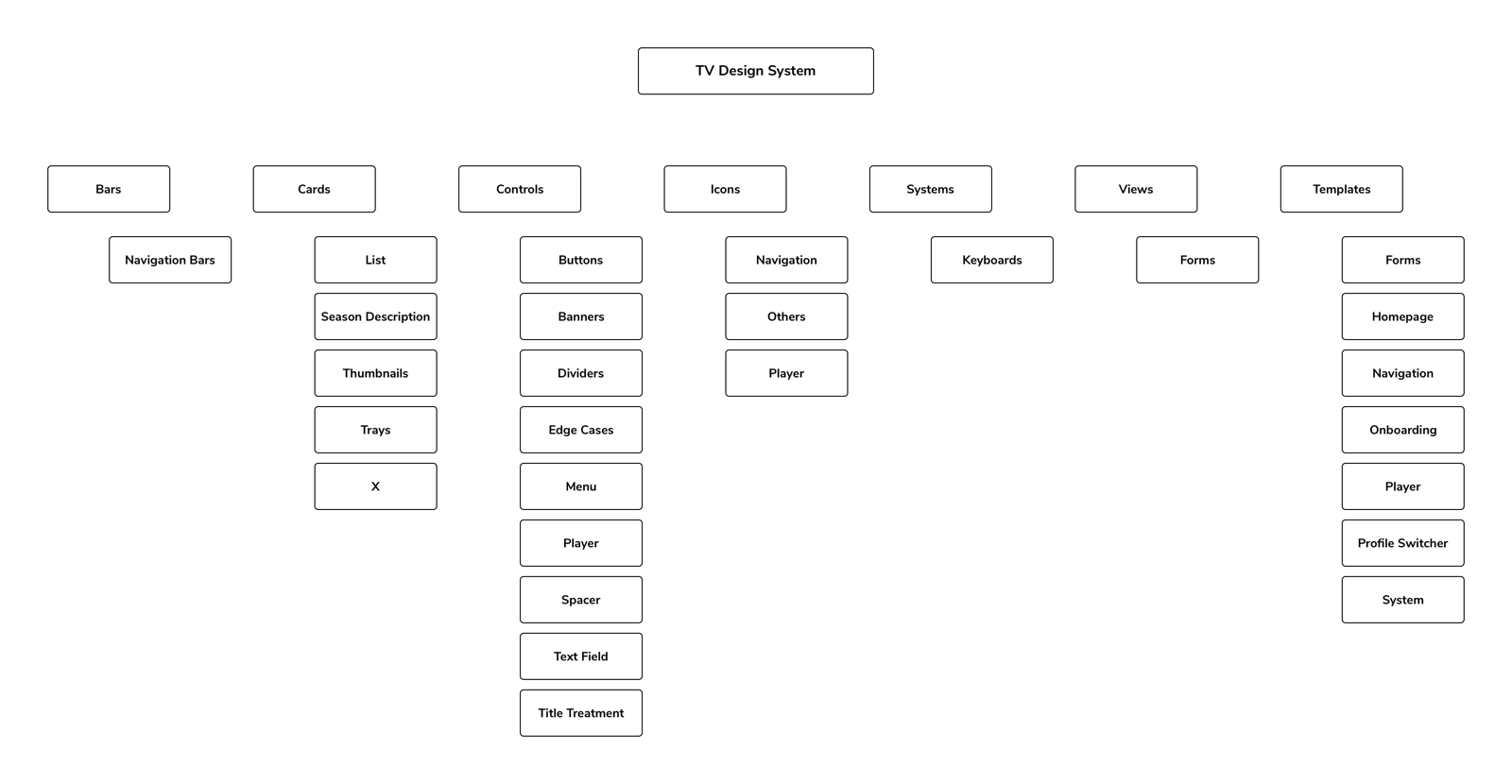
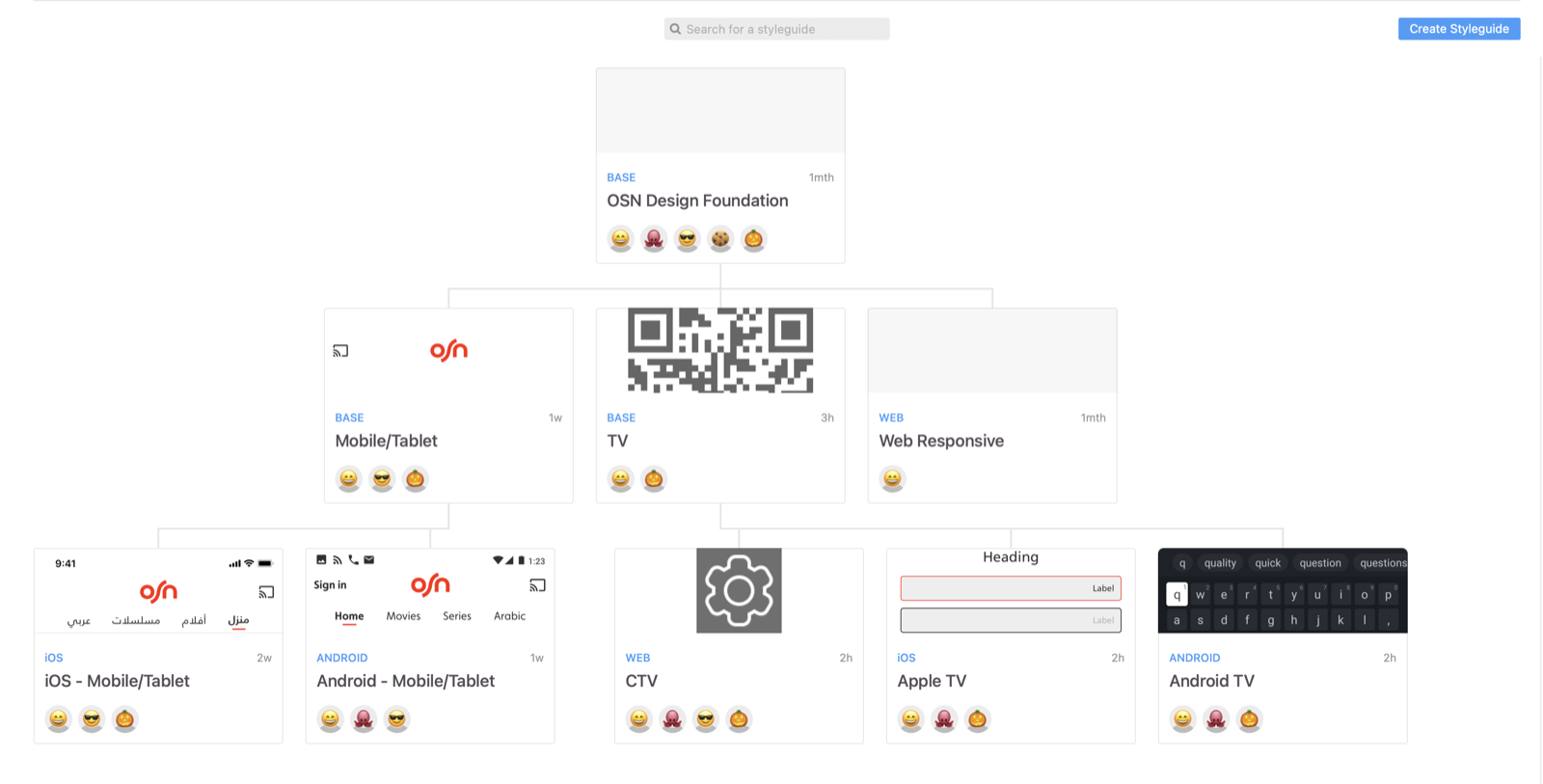
Since the developers primarily interact with zeplin to access the designs, we uploaded all the components to zeplin. This upload had an architectural structure shown in the image below.
Use Cases
The design system had 3 concerned parties/stakeholders, who directly and indirectly benefited from its implementation. They are as follows:
- The Designers (in-house staff and vendors).
- The Developers (in-house staff and vendors).
1. The Designers
The designers are the primary benefactors of the design system, as they directly call on it in their day-to-day activities. This caused us to remain cognizant of their pain points in order to cater to their needs.
The video below is a walkthrough of what the designer sees and can do with the design system.
Some of the benefits of the design system on the workflow of the designers include:
- Reduction in the time taken to design.
- Reduced possibilities of design errors, with its single point of failure.
- Reduced need for UI overhauls.
- Increase in the ease of making changes, due to the structure of the components.
2. The Developers
The developers unlike the designers do not work with the design system in their day to day, but its implementation indirectly affects them as well. They can be seen as secondary benefactors of its implementation.
The video below is a walkthrough of what the developer sees and can do with the help of the design system.
Some of the benefits of the design system on the workflow of the developers include:
- The ability to view & access variants of the components used in the design screen.
- Easier access to design assets.
- Reduction in time taken to develop.
Takeaways & Learnings
- Implementing the Architecture & Naming Conventions early on, will help save a lot of time down the line.
- Working in silos only adds to the amount of work to be done, as information travels slower.
- Everything is not just about design. The business implications of things matters a lot.